

Our Verdict
Mobile storage is one of the most consequential specs you'll choose - and one of the easiest to underestimate. The right amount depends on how you use your device, but the cost of going too small typically outweighs the cost of stepping up a tier. Understanding where space actually goes helps you make a more confident decision.
Readers deciding between storage tiers before purchasing a phone or tablet, or those trying to manage a device that's running low.
Why Storage Fills Faster Than You'd Expect
When a phone is listed as having 128 GB of storage, that number is never what you actually get to use. The operating system, pre-installed apps, and firmware occupy a meaningful chunk before you ever open the box. On many devices, 10 to 20 GB is already spoken for out of the gate.
From there, the drain is gradual but relentless. Every photo you take, every app you download, every podcast you cache, and every offline map you save chips away at that headline number. The connection between storage and performance is also real: when available space drops below roughly 10-15% of total capacity, many phones begin to slow down noticeably as the system struggles to write temporary files.
The gap between what manufacturers advertise and what users experience is a known, consistent pattern - not a defect. Understanding it upfront changes how you should evaluate options.
10-20 GB
Storage used by OS and pre-installed apps
A consistent portion of advertised capacity is consumed by the operating system and manufacturer software before the user installs anything.
300-400 MB
Space per minute of 4K video
High-resolution video is the single fastest storage consumer on most modern smartphones, varying by device settings and codec.
2-3 years
Typical smartphone ownership cycle
Industry research consistently shows most Americans keep their phones for two to three years, underscoring why future-proofing storage matters at purchase.
What Actually Takes Up the Most Space
Not all storage consumers are equal. Photos and videos are almost always the largest category on a typical phone, especially as camera quality has improved. A single minute of 4K video can consume 300-400 MB depending on the device and settings. Shoot a family vacation and you can burn through several gigabytes in an afternoon.
Apps are the second major culprit - but the app itself is often smaller than its accumulated data. A navigation app might install at 100 MB but balloon to several times that size with offline maps. A game might start small and download gigabytes of content over time. Messaging apps quietly accumulate years of photos, videos, and voice messages that most people never think to clear.
Music and podcast downloads, offline video from streaming services, and document caches round out the list. The spec sheet term "internal storage" covers all of it - there's no separate bucket for each category unless your phone's settings break it down that way.
System Storage vs. Available Storage
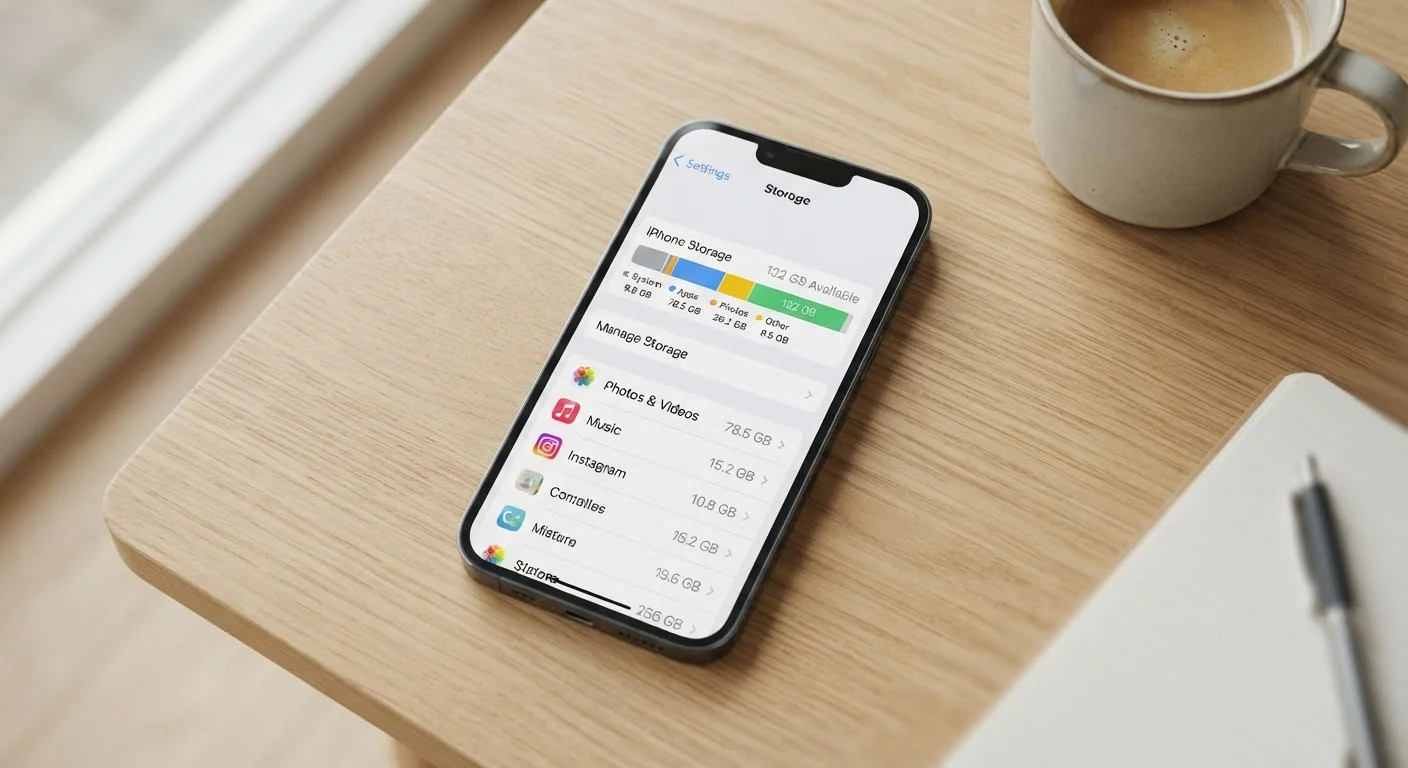
Your phone's settings app will show a breakdown of storage by category - system, apps, photos, and other data. This is the most accurate view of where your space is actually going. The 'available' figure shown there, not the advertised spec, is your real working capacity. Checking this periodically helps you spot which categories are growing fastest and where cleanup would have the most impact.
The Case for More Storage - and Its Limits
Choosing a higher storage tier when buying a phone is usually the simplest, most cost-effective way to avoid future headaches. Unlike a laptop where you might be able to swap out a drive, most modern smartphones have storage soldered to the board - you cannot upgrade it later. (A minority of Android devices still support microSD cards, which adds flexibility, but that's become less common in flagship lines.)
For most people who take a reasonable number of photos, use a handful of apps, and occasionally download content for offline use, 128 GB is a workable floor. Heavy shooters, gamers, or anyone who stores a lot of local media may want 256 GB or more. Light users who lean heavily on cloud services might manage on 64 GB - but that margin is thin and rarely stays comfortable for a full two- to three-year ownership cycle.
Ample storage prevents disruptive, last-minute cleanup
Running out of space at an inconvenient moment - mid-trip, at an event - forces rushed decisions about what to delete. Extra headroom eliminates that pressure entirely.
Local storage works without internet access
Files stored on the device are available anywhere, regardless of signal strength or data limits - a meaningful advantage over cloud-only storage strategies.
Higher capacity supports a longer useful device life
As apps grow larger and camera files get bigger over time, a device with more storage tends to stay comfortable to use for more years before feeling cramped.
Reduces dependency on subscription cloud services
With sufficient local storage, many users can rely less on paid cloud plans, avoiding recurring costs that compound over a multi-year ownership period.
Storage tiers aren't infinite, though. More storage doesn't fix poor battery life, a slow processor, or a weak camera. It's one variable among many. For a broader view of how specs interact, see how Android and iOS handle device resources differently.
Higher storage tiers cost more upfront
Moving up a storage tier - say, from 128 GB to 256 GB - typically adds $50 to $100 to the purchase price, which isn't trivial for budget-conscious buyers.
Storage cannot be upgraded on most modern phones
Unlike laptops, the vast majority of smartphones have non-expandable internal storage, meaning the capacity you choose at purchase is the capacity you live with permanently.
More storage doesn't improve other performance factors
A phone with 512 GB of storage but a weak processor or aging software will still feel slow. Storage capacity is one variable, not a proxy for overall device quality.
Large local libraries still need active management
Even with generous storage, app caches, duplicate files, and forgotten downloads accumulate over time - some manual housekeeping is necessary regardless of capacity.
Cloud Storage: A Useful Tool, Not a Full Solution
Cloud services - where photos, documents, and backups are stored on remote servers rather than your device - are widely marketed as the answer to storage anxiety. They genuinely help, but with real trade-offs worth understanding.
Auto-uploading photos to a cloud service frees up local space, but those files are only reliably accessible when you have a strong internet connection. Traveling, in a spotty coverage area, or on a limited data plan? Cloud-only files may be out of reach exactly when you need them. Cloud storage also typically costs a recurring monthly or annual fee once you exceed the free tier - an ongoing expense that adds up over a device's lifetime.
A practical approach for most people is treating cloud storage as a backup and overflow layer, not a replacement for adequate local storage. When you're moving from one phone to another, having a cloud backup is valuable regardless of how much local space you have.
The content on this site is provided for informational purposes only and should not be considered a substitute for professional advice. While we strive to provide accurate and up-to-date information, we make no guarantees regarding its completeness or accuracy. Always consult a qualified professional for advice specific to your circumstances before making any decisions.