

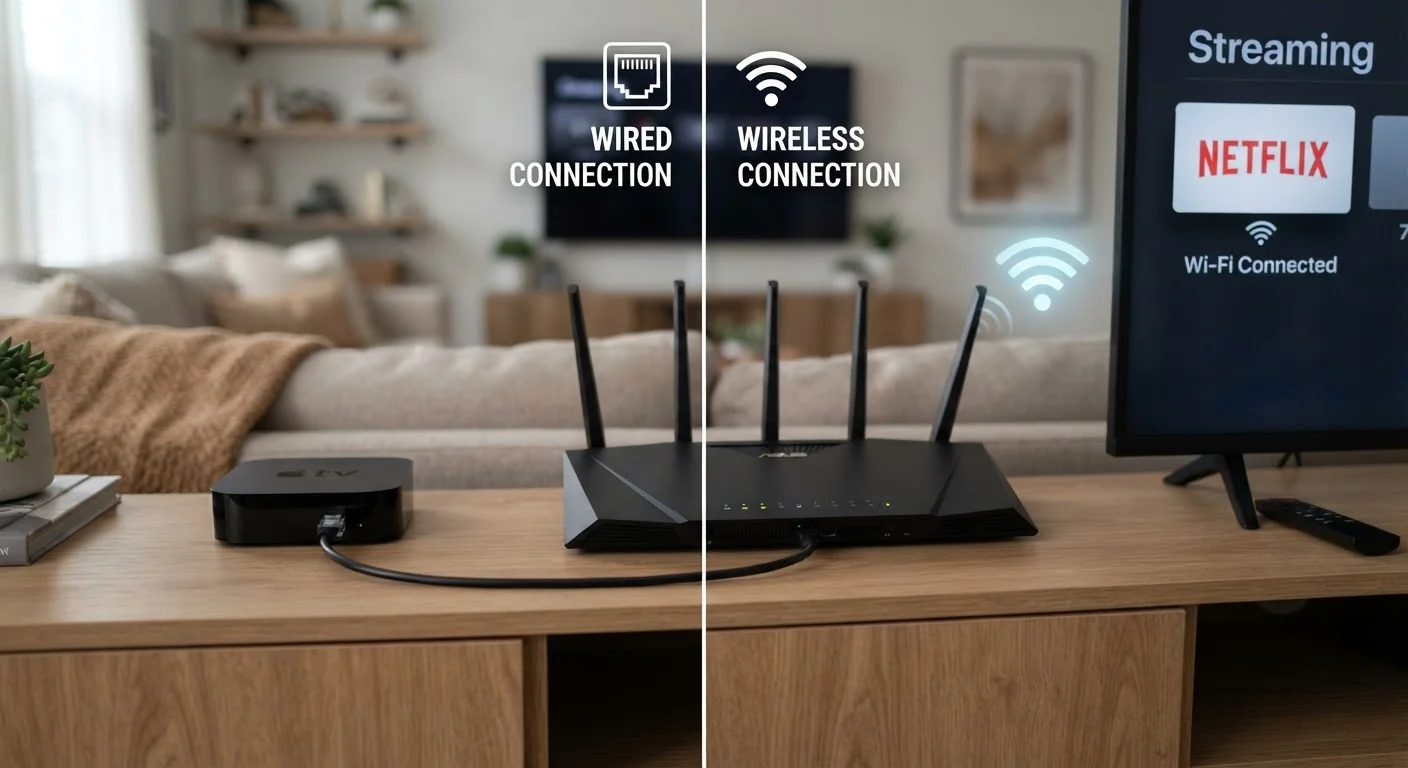
Option A
Wi-Fi
The convenient, cable-free choice for most households.
Best for: Devices that move around or can't be easily reached by a physical cable.
Option B
Ethernet
The reliable, high-performance wired connection.
Best for: Stationary streaming devices, gaming consoles, and anyone who wants consistent 4K playback.
Why This Decision Actually Matters
Most streaming problems aren't about paying for faster internet - they're about how reliably that speed reaches your device. Wi-Fi is everywhere and works well enough for casual viewing, but "well enough" has a ceiling. When you're watching a 4K stream with Dolby Vision HDR (a high dynamic range format that dramatically widens color and brightness), the required bitrate can top 25 Mbps sustained. Wi-Fi, unlike a cable, shares bandwidth with every other device in your home and competes with your neighbor's router signals.
Understanding the real difference between these two connection types - not just the theoretical maximums on spec sheets - helps you decide whether running a cable is worth the effort. For many households, it genuinely is. If you've been puzzling over choppy playback, the real causes of buffering often point directly at Wi-Fi inconsistency rather than slow internet speeds.
How Wi-Fi and Ethernet Actually Differ for Streaming
The core difference isn't raw speed - it's consistency. A wired Ethernet connection creates a dedicated, noise-free channel between your device and your router. Wi-Fi, by contrast, is radio communication: it shares spectrum with other devices, degrades through walls, and fluctuates based on interference.
| Criterion | Wi-Fi | Ethernet |
|---|---|---|
| Speed consistency | Variable - fluctuates with interference | Stable - fixed dedicated channel |
| Latency | Higher and less predictable | Lower and consistent |
| Setup convenience | No cables needed | Requires physical cable run |
| Device mobility | Full - works anywhere in range | None - device must stay tethered |
| Interference risk | High - affected by neighbors and appliances | None - shielded physical connection |
| 4K HDR reliability | Good to fair depending on environment | Excellent and consistent |
| Cost to implement | Router already present in most homes | Low - cable and adapter cost is minimal |
Latency - the delay between a request and a response - matters more for gaming than passive streaming, but buffering is really a symptom of inconsistent throughput, which is a Wi-Fi weakness. Even a 200 Mbps Wi-Fi connection can stutter when the signal briefly dips during a scene change in a dense video file. Ethernet at 100 Mbps rarely stutters, because that 100 Mbps is reliably 100 Mbps.
For a broader look at terms like bitrate and HDR, the streaming terms glossary is a helpful reference point.
When Wi-Fi Is Good Enough (and When It Isn't)
Modern Wi-Fi, particularly Wi-Fi 6 (802.11ax), has closed the gap considerably. If your router is in the same room or one room away, and you're streaming HD or 4K on a single device, a current-generation Wi-Fi connection will almost certainly perform without issues.
Wi-Fi starts to struggle in predictable situations:
- Distance and obstacles: Every wall, floor, or appliance between your device and router weakens the signal.
- Congested spectrum: Dense apartment buildings with dozens of overlapping networks create interference that's invisible but real.
- Many simultaneous devices: A household streaming 4K on two TVs while video-calling on a laptop is asking a lot of shared wireless bandwidth.
- Older routers: A router more than five or six years old may not support the protocols modern streaming devices expect.
If dead zones are part of your problem, a mesh network vs. traditional router comparison can help you decide whether a topology change makes more sense than running cables.
No Ethernet Port on Your Streaming Device?
Many streaming sticks and smart TVs lack a built-in Ethernet port. USB-to-Ethernet adapters are widely available and inexpensive, adding a wired connection to devices that don't natively support one. Check your device's USB standard before purchasing an adapter to confirm compatibility.
The Case for Running a Cable in 2024
Ethernet gets dismissed as old-fashioned, but it solves the consistency problem permanently. A basic Cat 6 cable - the standard wired cable type used in most homes today - supports speeds far beyond what any home internet plan currently delivers, costs very little, and requires no ongoing management.
For stationary devices - smart TVs, streaming sticks plugged into a TV, gaming consoles, desktop computers - there's rarely a practical reason to prefer Wi-Fi. The inconvenience is the cable run itself. In a single-story home or an apartment, this is often as simple as running a cable along a baseboard. In a multi-story home, it may involve more planning, but the payoff in stability is significant.
High-fidelity audio streaming is another area where consistency pays dividends. Lossless audio formats require a clean, uninterrupted data stream; how lossless audio streaming works covers why the connection quality reaching your device matters as much as the format itself.
25 Mbps+
Minimum sustained speed for 4K HDR streaming
Netflix and other major platforms recommend at least 25 Mbps for Ultra HD quality; Wi-Fi fluctuations can temporarily dip below this threshold.
~1 ms
Typical Ethernet latency in a home network
Wired connections commonly achieve sub-5ms latency on a local network, compared to 20-50ms or more on busy Wi-Fi bands.
2.4 GHz & 5 GHz
Wi-Fi frequency bands sharing spectrum with nearby networks
Both common Wi-Fi bands are unlicensed spectrum shared by all nearby routers, meaning neighbor interference is a structural, unavoidable reality.
The content on this site is provided for informational purposes only and should not be considered a substitute for professional advice. While we strive to provide accurate and up-to-date information, we make no guarantees regarding its completeness or accuracy. Always consult a qualified professional for advice specific to your circumstances before making any decisions.