

Option A
Mesh Wi-Fi System
The whole-home coverage solution for complex layouts.
Best for: Larger homes, multi-story layouts, or anyone dealing with persistent dead zones and spotty coverage.
Option B
Traditional Single Router
The straightforward, cost-effective choice for simpler setups.
Best for: Smaller homes or apartments where one central router can reasonably cover the entire space.
How Each System Actually Works
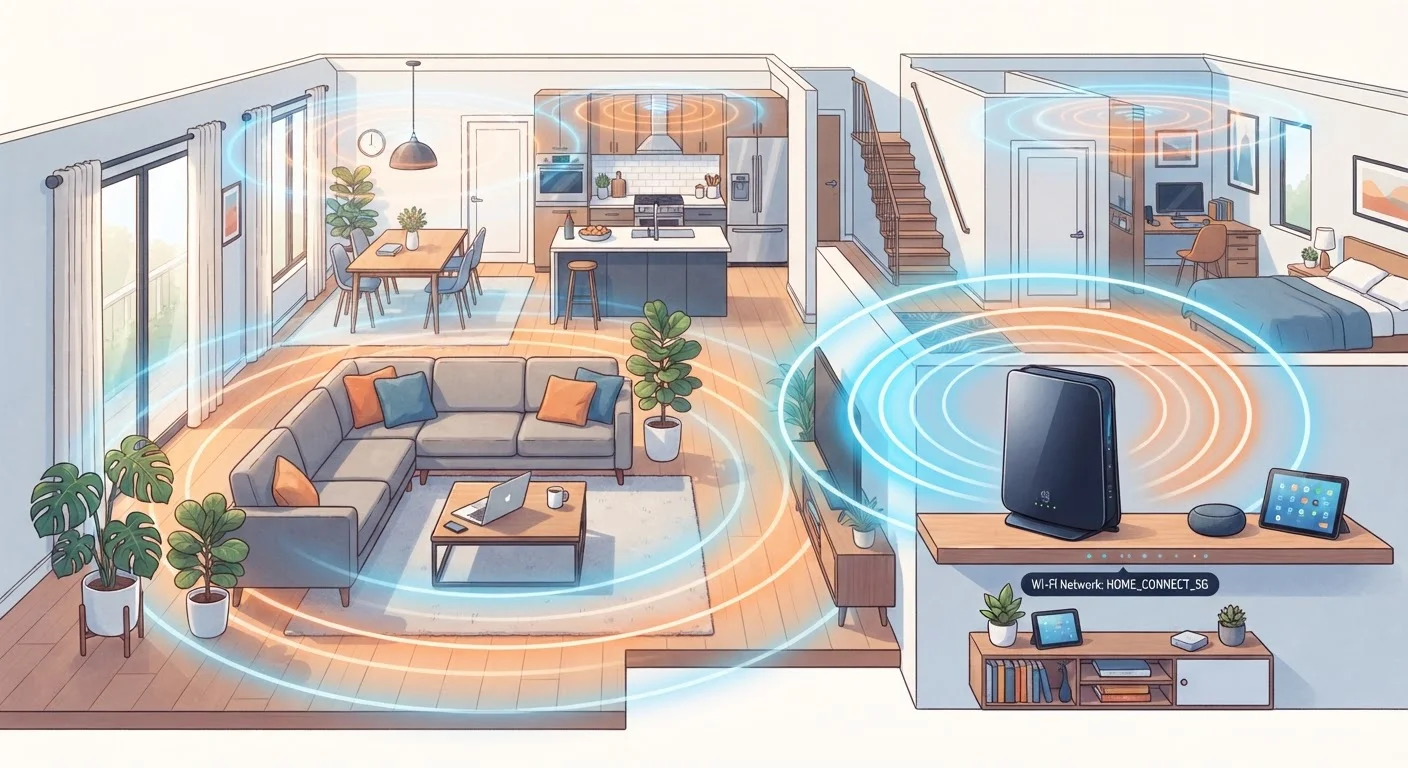
A traditional router is a single device that connects to your modem and broadcasts a Wi-Fi signal in all directions. Think of it like a single lightbulb in the middle of a room - great for spaces nearby, dimmer toward the edges, and useless around corners or through thick walls.
A mesh Wi-Fi system uses two or more nodes - a primary unit connected to the modem, plus satellite nodes placed around the home. These nodes communicate with each other, creating a single seamless network that hands off your device's connection as you move room to room. The result is more like stringing lights throughout the house instead of relying on one bulb.
One important distinction: mesh nodes can communicate wirelessly with each other or, in more capable setups, via ethernet cables run between them (called a wired backhaul). A wired backhaul significantly improves reliability and throughput, though it requires more installation effort. For most renters or those who can't run cables, wireless mesh still outperforms a single router in large spaces - see our guide on smart home options for renters for related context.
Side-by-Side: Key Differences at a Glance
Understanding the practical trade-offs between these two approaches is easier with a direct comparison. Coverage, cost, and device capacity are typically the deciding factors for most households.
| Criterion | Mesh Wi-Fi System | Traditional Router |
|---|---|---|
| Coverage area | Whole-home; scales with more nodes | Single broadcast point; limited range |
| Upfront cost | Higher (multiple units) | Lower (one device) |
| Setup complexity | Moderate; app-guided node placement | Simple; one device, one connection |
| Dead zone elimination | Strong; nodes fill gaps | Limited; walls and distance degrade signal |
| Many simultaneous devices | Handles well; load distributed across nodes | Manageable for moderate device counts |
| Advanced manual configuration | Limited on most consumer systems | More options for tech-savvy users |
| Best home size | 2,000+ sq ft or multi-story | Under ~1,500 sq ft, open layouts |
One nuance worth noting: raw speed specs on the router box rarely reflect real-world performance. Walls, appliances, neighboring networks, and distance all degrade signal. A mesh system's advantage isn't usually faster peak speeds - it's maintaining consistent speeds throughout the home rather than blazing fast in one room and unusable in another.
When a Single Router Is Genuinely Enough
A traditional router isn't outdated - it's simply better suited to specific situations. If your home is under roughly 1,500 square feet and mostly open-plan, a quality modern router placed centrally can cover everything without the cost or complexity of a mesh setup.
Apartments are the clearest case. Concrete and drywall in a compact space don't require multiple nodes, and the savings can be significant. Current-generation routers also support Wi-Fi 6 (the technical standard known as 802.11ax), which handles more simultaneous device connections than older hardware - so even a single unit can manage a reasonable number of smart home gadgets, phones, and laptops without major congestion.
~1,500 sq ft
Typical single-router effective coverage
Industry estimates suggest most consumer routers provide reliable coverage up to roughly 1,000-1,500 square feet under real-world conditions with standard home construction.
25+
Connected devices in average U.S. household
According to Deloitte's Digital Media Trends survey, the average American household connected more than 25 devices to their home network as of recent years.
30-50%
Signal loss through interior walls (estimated)
Common building materials like drywall and wood framing can reduce Wi-Fi signal strength significantly; dense materials like brick or concrete cause greater attenuation.
Traditional routers also tend to offer more granular manual controls - port forwarding, custom DNS, VPN passthrough - that power users appreciate. If you like to configure your network settings directly rather than relying on an app, a standalone router often provides more flexibility. For a related look at wired versus wireless trade-offs, Wi-Fi vs. Ethernet for streaming covers when a cable connection makes more sense than wireless.
When Mesh Wi-Fi Makes a Real Difference
Dead zones are the clearest sign a single router isn't cutting it. If your streaming cuts out in the bedroom, your video calls drop in the back office, or smart devices near the edges of your home constantly lose connection, distance and obstacles are likely the culprit - not your internet plan speed.
Homes over roughly 2,000 square feet, multi-story layouts, or homes with unusual construction (thick plaster, brick interior walls, metal-framed structures) all work against a single router. Mesh systems address this by putting signal sources throughout the home rather than fighting physics from one point.
Households with many connected devices also benefit. Smart thermostats, security cameras, streaming sticks, game consoles, and multiple phones all compete for bandwidth and connection slots. Mesh nodes effectively divide this load, which reduces the bottleneck that can slow everything down when a single router is handling dozens of devices at once. If you're building out a connected home ecosystem, getting smart home devices to work together explains how your network fits into the broader picture.
Security is also worth considering. Reputable mesh systems receive regular firmware updates pushed automatically, which helps keep network security current. For general guidance on reducing network risks, network habits that reduce smart home security risks is a practical reference.
The content on this site is provided for informational purposes only and should not be considered a substitute for professional advice. While we strive to provide accurate and up-to-date information, we make no guarantees regarding its completeness or accuracy. Always consult a qualified professional for advice specific to your circumstances before making any decisions.