

Why Renters Face a Different Smart Home Challenge
Owning a home means you can run new wiring, replace a light switch, or mount hardware however you like. Renters don't have that freedom - and most leases are explicit about alterations. A clause prohibiting modifications can put a hard stop on smart doorbells wired into existing chimes, in-wall smart switches, or thermostat swaps that require rewiring a common terminal.
The good news is that a wide range of smart home technology was designed specifically to sidestep those limitations. Plug-in devices, battery-powered sensors, and wireless lighting mean you can build a genuinely useful automated home without touching a fixture, drilling a wall, or risking your security deposit. If you're newer to renting and want to understand what your lease might restrict, the first-time renter's guide covers lease basics worth knowing before you set anything up.
Below are the smart home categories that reliably work in rental units - what they do, why they're renter-safe, and what to watch out for.
Smart plugs and power strips
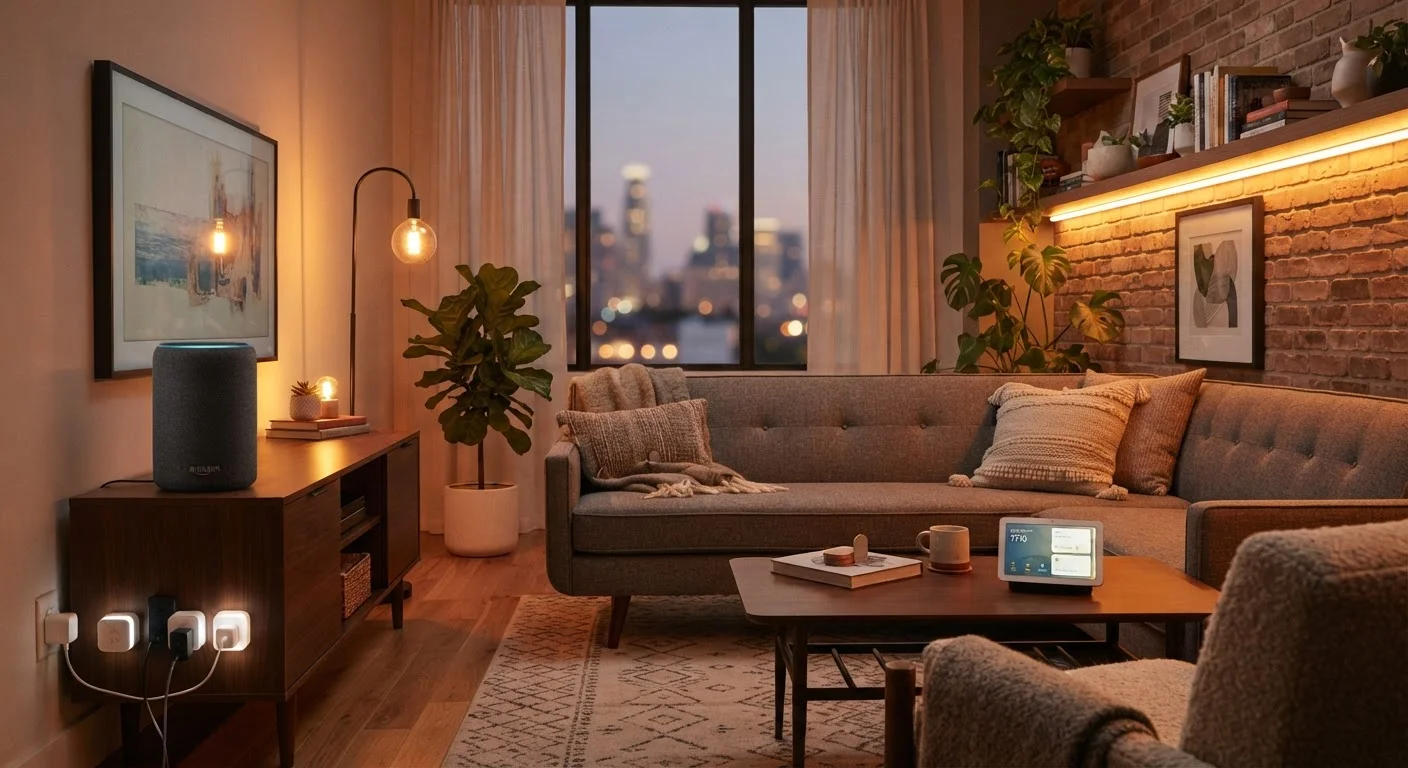
Smart plugs are the simplest entry point into home automation for renters. They fit into any standard outlet and let you control whatever is plugged into them - a lamp, a fan, a coffee maker - via an app or voice command. Many support scheduling, so devices turn on and off automatically without any ongoing input from you.
Because they're entirely plug-in and leave no trace, smart plugs are universally renter-safe. The only meaningful limitation is that they can only control devices with simple on/off power switches; they won't manage anything that needs to be set to a specific mode before the power cuts.
Smart plugs automate any outlet-powered device with zero installation and zero lease risk.
Wireless and smart lighting
Smart bulbs screw into existing sockets and connect to your Wi-Fi or a small hub, giving you app control, dimming, color temperature adjustment, and scheduling - no electrician required. This is meaningful in a rental because you're replacing only the bulb, not the switch or fixture.
One practical note: smart bulbs are typically controlled through an app or voice assistant, which means if someone flips the physical wall switch off, the bulb loses power and becomes unresponsive until it's switched back on. Stick-on smart switch covers that sit over the existing switch and disable it can help here, though check whether adhesive products are allowed in your unit. When you leave, swap your original bulbs back in and take your smart bulbs with you.
Smart bulbs transform lighting control without touching a single fixture or switch.
Voice assistants and smart speakers
A smart speaker with a built-in voice assistant acts as the control hub for everything else in your setup. It sits on a shelf, plugs into an outlet, and lets you issue voice commands to compatible bulbs, plugs, thermostats, and sensors without picking up your phone.
These devices are entirely self-contained - no installation, no mounting - and they move with you when the lease ends. The practical consideration for renters is ecosystem: the platform your speaker uses (such as Amazon Alexa or Google Home) determines which other devices work with it natively, so it's worth choosing that platform early and buying compatible accessories. Our device compatibility guide goes deeper on this.
A voice assistant speaker unifies your entire setup without a single permanent installation.
Plug-in smart thermostat adapters
Replacing a thermostat is one of the most common smart home upgrades - and one of the most lease-problematic for renters, since most smart thermostats require a C-wire (common wire) that older units often lack, and any thermostat swap involves directly modifying HVAC wiring. Some landlords allow it with advance written permission; many don't.
A more renter-safe alternative exists in the form of plug-in thermostat controllers and smart AC controllers designed for window or portable units. These don't touch central HVAC wiring at all. If your apartment uses a baseboard heater or a window AC unit, these plug-in devices can add scheduling and remote control without any modification. For renters who do have landlord approval to swap a central thermostat, how smart thermostat scheduling works is a useful read before you commit to a model.
Plug-in AC controllers add smart scheduling without any wiring changes or landlord negotiations.
Battery-powered sensors and security cameras
Motion sensors, door and window contact sensors, and leak detectors are almost all battery-powered and attach with adhesive strips or sit on a surface - no drilling, no hardwiring. They can send alerts to your phone when a door opens unexpectedly, when motion is detected in a specific area, or when water is detected near an appliance.
Indoor security cameras also fall into this category. A camera placed on a shelf or counter requires only a power outlet and Wi-Fi. Outdoor cameras or video doorbells are trickier: mounting on exterior walls or replacing a wired doorbell chime typically requires landlord approval. When in doubt, a battery-powered indoor-facing camera pointed toward an entry door achieves similar peace of mind without any exterior modification.
Adhesive-mount sensors add real security monitoring without a single screw in the wall.
Portable smart locks and keypad entry
Deadbolt replacement smart locks require swapping hardware on the door - something that almost always needs explicit landlord permission and may be outright prohibited. However, portable lock options exist that layer over existing hardware. Some smart lock models fit over a standard thumbturn on the interior of a deadbolt, leaving the exterior lock (and the key) completely unchanged. These install with no tools and remove in seconds.
The trade-off is that these interior-mount models don't typically provide keypad or app entry from the outside the way a full replacement lock does - they automate the locking action from inside. For renters who want app-controlled locking and auto-lock scheduling without violating the lease, that's often a reasonable trade-off worth making.
Interior-mount smart lock adapters automate your deadbolt without replacing a single piece of hardware.
Making It All Work Together Before You Move Out
The categories above work independently, but they deliver more value when they talk to each other. A motion sensor can trigger smart plugs to power on a lamp; a voice assistant can control your lighting, speaker, and thermostat plug simultaneously. For a practical breakdown of how these devices communicate, platforms and protocols guide explains the standards - like Matter and Zigbee - that connect different brands.
Your apartment's Wi-Fi is the backbone of everything. A single router struggling to reach the far bedroom will make smart devices feel unreliable. If dead zones are an issue, a mesh network system (which requires no wiring changes) can extend coverage across your unit. Our mesh Wi-Fi vs. traditional router comparison can help you decide whether an upgrade makes sense.
Document Everything Before You Install
Before setting up any smart device, photograph the existing state of outlets, fixtures, and hardware. This creates a clear record that the unit was unmodified when you arrived. Keep a simple list of every device you've added, where it's placed, and how it's attached - it makes move-out straightforward and protects you if any dispute arises about the unit's condition.
When moving day comes, renter-safe smart devices should uninstall as quickly as they installed. Keep original packaging where possible, save device reset instructions, and restore any original hardware - like a traditional thermostat - before handing back the keys. Avoiding lease missteps throughout your tenancy is just as important as the move-out itself; common leasing pitfalls outlines the mistakes that cost renters most.
The content on this site is provided for informational purposes only and should not be considered a substitute for professional advice. While we strive to provide accurate and up-to-date information, we make no guarantees regarding its completeness or accuracy. Always consult a qualified professional for advice specific to your circumstances before making any decisions.