

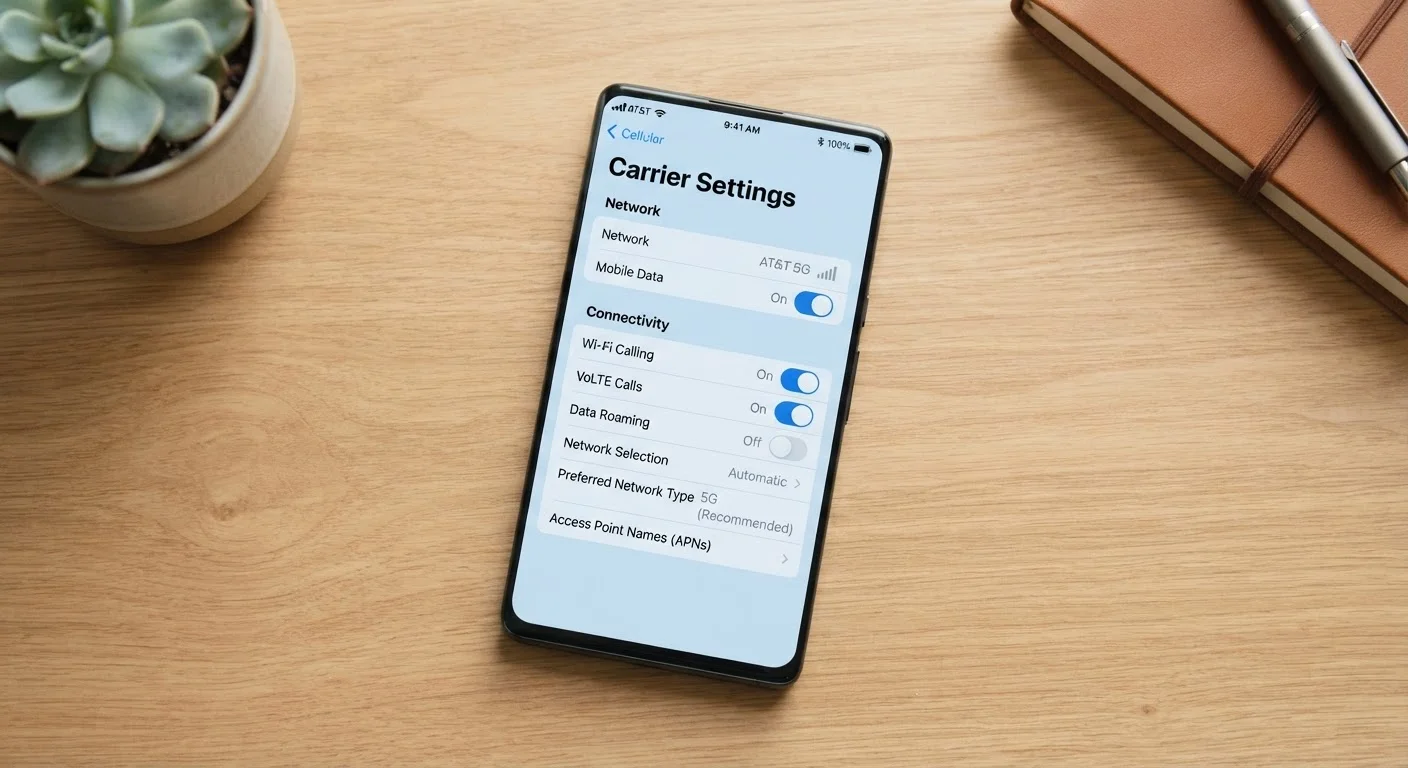
Mobile Data, Wi-Fi, and Calling: Why the Distinctions Matter
Open your phone's settings and you'll find a cluster of toggles - Mobile Data, Wi-Fi Calling, VoLTE, and more. Each one controls something distinct, but the labels are rarely explained. Getting them confused can mean dropped calls in your own home, unexpected data charges, or a voice call that sounds like it's traveling through a tin can.
This reference breaks down what each option does, when it matters, and when you can safely ignore it. For a broader look at how carriers market connectivity, see our guide on 5G explained.
| What mobile data controls | Cellular internet for apps and browsers - not voice calls |
| What VoLTE stands for | Voice over LTE |
| Wi-Fi Calling typical cost | No extra charge on most U.S. carrier plans |
| VoLTE vs. legacy voice | VoLTE delivers HD audio and simultaneous data use |
| Emergency calls over Wi-Fi | Location accuracy may be reduced; register home address with carrier |
| Where to find these settings | Settings > Mobile Network or Cellular (varies by OS) |
Mobile Data: Your Connection to the Carrier Network
Mobile data is the cellular internet connection your phone uses when it isn't on Wi-Fi. It runs over your carrier's network - 4G LTE or 5G - and is what lets you stream, browse, or use apps when you're out and about. Turning it off means your phone can still make calls and send SMS texts, but apps that need internet will stop working unless you're on Wi-Fi.
Mobile data is measured in gigabytes and counted against your plan's monthly allowance. Voice calls on traditional networks do not consume mobile data - they travel on a separate voice channel. The distinction matters because VoLTE changes this, as explained below.
Mobile Data
The cellular internet connection provided by your carrier over LTE or 5G. It allows apps and browsers to work without Wi-Fi and is counted against your monthly data plan.
VoLTE
Voice over LTE - a technology that routes phone calls through the 4G LTE data network instead of a legacy voice channel. It enables HD audio quality and simultaneous voice and data use.
Wi-Fi Calling
A feature that sends voice calls and SMS messages over a Wi-Fi network when cellular signal is weak or unavailable. Calls use your regular phone number and are free on most U.S. carrier plans.
LTE
Long-Term Evolution - the fourth-generation (4G) cellular standard. Most VoLTE and Wi-Fi Calling features are built on top of LTE infrastructure.
HD Voice
A higher audio quality standard for phone calls, enabled by VoLTE. It uses a wider frequency range than traditional calls, making voices sound clearer and more natural.
VoLTE: Voice Calls Over the Data Network
VoLTE stands for Voice over LTE. Instead of using a legacy voice channel, it routes your phone call through the 4G LTE data network - the same one your apps use. This shift has two practical consequences: call quality is noticeably better (HD audio is a VoLTE feature), and you can use mobile data and talk at the same time on LTE, which older networks couldn't always manage.
VoLTE does use a small amount of data, but carriers typically don't count it against your data cap. Most U.S. carriers have been phasing out their older 3G and 2G voice networks, which means VoLTE is increasingly the default - and on some networks, the only option. If your phone doesn't support VoLTE or has it disabled, you may lose service entirely in areas where the legacy network has been shut down.
Check your carrier's support page to confirm whether your device and plan support VoLTE. The toggle is usually under Settings > Mobile Network or Cellular, depending on your phone's operating system.
Wi-Fi Calling: Calls and Texts When Your Signal Is Weak
Wi-Fi Calling does exactly what its name suggests: it routes voice calls and SMS messages over a Wi-Fi network instead of your carrier's cellular towers. This is especially useful in buildings with thick walls, basements, or rural areas where cellular coverage is spotty but you have a reliable Wi-Fi connection.
When Wi-Fi Calling is enabled, your phone automatically uses it when cellular signal is poor and switches back to the cellular network when signal improves. Most carriers support Wi-Fi Calling at no extra charge, and calls go to and from your regular phone number - the recipient doesn't know the difference.
One important note: emergency calls (911) over Wi-Fi Calling may behave differently than standard cellular calls. Location detection is less precise, so carriers and regulators recommend having your registered address updated with your carrier for accurate dispatch. Always confirm this setup if Wi-Fi Calling is your primary calling method at home.
If you're troubleshooting connectivity issues while setting up a new device, our article on switching phones without losing data covers related network settings to check.
How These Three Work Together
These settings aren't mutually exclusive - your phone manages them in combination. A typical hierarchy looks like this: if Wi-Fi is available and Wi-Fi Calling is on, calls go over Wi-Fi. If only cellular is available, VoLTE handles the call over LTE. Mobile data runs in the background for everything else.
Understanding this stack helps you troubleshoot real problems. If calls sound choppy at home, Wi-Fi Calling may be picking up a weak Wi-Fi signal instead of a stronger cellular one - try disabling Wi-Fi Calling temporarily to test. If you can't make calls in an area with LTE data, VoLTE may need to be enabled. If your data feels slow, mobile data settings or your plan's throttling policy are the place to look, not Wi-Fi Calling or VoLTE.
For a fuller picture of the specs that shape how your phone performs across all these functions, see the mobile spec sheet decoded.
3G shutdown
Legacy U.S. voice networks phased out
Major U.S. carriers completed their 3G network shutdowns between 2022 and 2023, making VoLTE support a practical necessity for continued service.
HD audio
Call quality improvement from VoLTE
VoLTE uses wideband audio codecs that support a broader frequency range than traditional cellular voice calls, resulting in noticeably clearer audio.
The content on this site is provided for informational purposes only and should not be considered a substitute for professional advice. While we strive to provide accurate and up-to-date information, we make no guarantees regarding its completeness or accuracy. Always consult a qualified professional for advice specific to your circumstances before making any decisions.